In today’s competitive digital landscape, startups and growing businesses must build strong, lasting relationships with customers to survive and thrive. One of the most effective ways to achieve this is by using a Customer Relationship Management (CRM) system. The right CRM tool helps you manage leads, streamline communication, automate workflows, and ultimately boost revenue.
This comprehensive guide explores the best CRM tools for startups and growing businesses, their features, benefits, and how to choose the right one for your needs.
What is a CRM and Why It Matters for Startups?
A CRM (Customer Relationship Management) system is software designed to help businesses manage interactions with customers and prospects. It centralizes customer data, tracks communication, and automates sales and marketing processes.
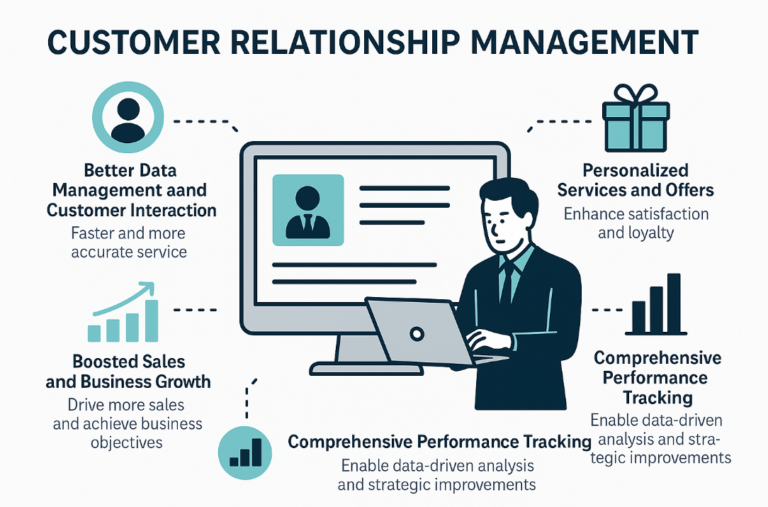
For startups, CRM tools are especially important because they:
- Organize customer data in one place
- Improve team collaboration
- Automate repetitive tasks
- Enhance customer experience
- Increase sales efficiency
Without a CRM, businesses often struggle with scattered data, missed opportunities, and inefficient workflows.
Key Features to Look for in a CRM Tool
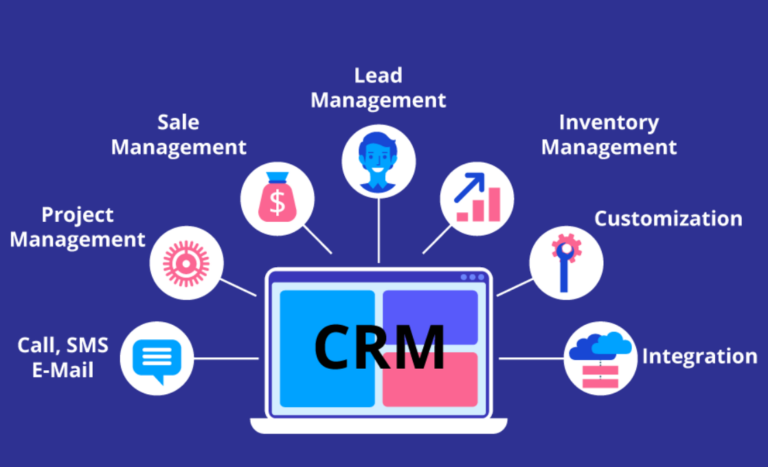
Before diving into the best CRM tools, it’s important to understand the essential features you should look for:
1. Contact Management
Store and organize customer information such as emails, phone numbers, and interaction history.
2. Sales Pipeline Management
Visualize and track deals from initial contact to closing.
3. Automation
Automate repetitive tasks like follow-ups, email campaigns, and lead assignments.
4. Integration Capabilities
Ensure compatibility with tools like email platforms, marketing software, and accounting systems.
5. Reporting and Analytics
Gain insights into sales performance, customer behavior, and team productivity.
6. Scalability
Choose a CRM that grows with your business.
Best CRM Tools for Startups and Growing Businesses
Here are the top CRM tools that offer excellent value, scalability, and ease of use:
1. HubSpot CRM
Best for: Free powerful CRM with marketing tools
HubSpot CRM is one of the most popular choices for startups due to its generous free plan and intuitive interface.
Key Features:
- Unlimited users and contacts (free plan)
- Email tracking and notifications
- Sales pipeline dashboard
- Marketing automation tools
- Integration with hundreds of apps
Pros:
- Easy to use
- Free plan is very robust
- All-in-one platform (sales, marketing, service)
Cons:
- Advanced features can get expensive
Why Startups Love It:
HubSpot provides everything a startup needs to get started without upfront costs.
2. Zoho CRM
Best for: Budget-friendly customization
Zoho CRM is a powerful and affordable solution ideal for small and growing businesses.
Key Features:
- AI-powered sales assistant
- Workflow automation
- Multichannel communication (email, phone, social)
- Advanced analytics
- Custom modules and fields
Pros:
- Affordable pricing
- Highly customizable
- Strong automation capabilities
Cons:
- Slight learning curve
Why It Stands Out:
Zoho CRM offers enterprise-level features at a startup-friendly price.
3. Salesforce Essentials
Best for: Scalable enterprise-grade CRM
Salesforce is a leading CRM platform, and its Essentials plan is tailored for small businesses.
Key Features:
- Lead and opportunity tracking
- Email integration
- Customizable dashboards
- AI insights
- Mobile app support
Pros:
- Highly scalable
- Powerful ecosystem
- Strong analytics
Cons:
- Can be complex for beginners
- Higher cost compared to competitors
Ideal For:
Startups planning rapid growth and needing enterprise-level capabilities.
4. Pipedrive
Best for: Sales-focused teams
Pipedrive is designed with sales teams in mind, offering a visual and intuitive pipeline.
Key Features:
- Drag-and-drop sales pipeline
- Activity reminders
- Email integration
- Sales forecasting
- Automation workflows
Pros:
- Very user-friendly
- Great for sales tracking
- Visual interface
Cons:
- Limited marketing features
Why Choose Pipedrive:
Perfect for startups focused heavily on closing deals and managing sales processes.
5. Freshsales (Freshworks CRM)
Best for: Built-in communication tools
Freshsales offers a unified platform with built-in phone, email, and chat features.
Key Features:
- AI-based lead scoring
- Built-in calling and email
- Workflow automation
- Deal management
- Reporting dashboards
Pros:
- All-in-one communication
- Clean interface
- Good automation features
Cons:
- Some features locked behind higher tiers
Best Use Case:
Teams that want communication and CRM in one platform.
6. Monday Sales CRM
Best for: Visual project and CRM management
Monday Sales CRM combines CRM functionality with project management tools.
Key Features:
- Customizable workflows
- Visual dashboards
- Automation templates
- Integration with popular tools
- Collaboration features
Pros:
- Highly visual and customizable
- Easy team collaboration
- Flexible workflows
Cons:
- Can be overwhelming initially
Why It’s Unique:
Great for teams that want CRM and project management in a single tool.
7. Insightly
Best for: Project-based businesses
Insightly combines CRM with project management features.
Key Features:
- Contact and lead management
- Project tracking
- Workflow automation
- Email marketing integration
- Reporting tools
Pros:
- Strong project management features
- Easy integration with Google Workspace
Cons:
- Limited customization compared to others
Best Fit:
Startups managing both sales and post-sale projects.
8. Agile CRM
Best for: All-in-one CRM on a budget
Agile CRM is an affordable tool that offers sales, marketing, and service features.
Key Features:
- Contact management
- Email marketing
- Automation workflows
- Helpdesk support
- Social media integration
Pros:
- Budget-friendly
- All-in-one platform
- Simple interface
Cons:
- UI feels outdated
Ideal For:
Small teams looking for a cost-effective all-in-one solution.
How to Choose the Right CRM for Your Business
Selecting the right CRM depends on your business goals, team size, and budget. Here’s how to decide:
1. Define Your Needs
Identify whether you need sales tracking, marketing automation, customer support, or all three.
2. Consider Your Budget
Start with free or low-cost options and upgrade as your business grows.
3. Evaluate Ease of Use
A CRM should simplify your workflow, not complicate it.
4. Check Integration Options
Ensure compatibility with your existing tools.
5. Test Before Committing
Most CRM tools offer free trials—use them to evaluate usability and features.
Benefits of Using CRM Tools for Startups
Implementing a CRM system offers numerous advantages:
Improved Customer Relationships
Centralized data allows for personalized communication.
Increased Sales Efficiency
Sales teams can focus on closing deals rather than managing data.
Better Collaboration
Teams can access shared data and stay aligned.
Data-Driven Decisions
Analytics help identify trends and opportunities.
Automation of Tasks
Reduces manual work and saves time.
Common Mistakes to Avoid When Choosing a CRM
Startups often make these mistakes:
- Choosing overly complex software
- Ignoring scalability
- Not training team members
- Failing to define clear goals
- Overlooking integration capabilities
Avoiding these pitfalls ensures a smoother CRM implementation.
Future Trends in CRM for Startups
The CRM landscape continues to evolve. Here are key trends to watch:
AI and Automation
AI-powered insights and automation will become standard.
Mobile CRM
More businesses will rely on mobile-friendly CRM platforms.
Personalization
CRMs will offer deeper customer insights for hyper-personalized experiences.
Integration Ecosystems
CRMs will integrate seamlessly with more tools and platforms.
Final Thoughts
Choosing the best CRM tool for your startup or growing business is a crucial decision that can significantly impact your success. Whether you prioritize affordability, scalability, or advanced features, there is a CRM solution tailored to your needs.
For beginners, tools like HubSpot CRM and Zoho CRM offer excellent starting points. For sales-driven teams, Pipedrive is a strong contender, while Salesforce Essentials provides unmatched scalability for ambitious startups.
The key is to start simple, focus on your core needs, and scale your CRM capabilities as your business grows.
Frequently Asked Questions (FAQs)
What is the best free CRM for startups?
HubSpot CRM is widely considered the best free CRM due to its robust features and ease of use.
Can a small business benefit from a CRM?
Absolutely. CRM tools help small businesses manage customer relationships, improve efficiency, and increase sales.
How long does it take to implement a CRM?
It can take anywhere from a few days to several weeks, depending on the complexity of the system.
Is CRM software worth it for startups?
Yes. The return on investment is significant due to improved sales processes and customer management.