Customer Relationship Management (CRM) systems have become the backbone of modern businesses aiming to build stronger relationships, streamline operations, and boost revenue. However, implementing a CRM system is not just about choosing the right software—it’s about aligning technology with your business goals, processes, and people.
A poorly executed CRM implementation can lead to wasted resources, low adoption rates, and missed opportunities. On the other hand, a well-planned and strategic implementation can transform your organization, improve customer satisfaction, and drive sustainable growth.
This comprehensive CRM implementation guide will walk you through the exact steps needed to get started successfully, avoid common pitfalls, and maximize your return on investment.
What is CRM Implementation?
CRM implementation is the process of deploying CRM software within your organization to manage customer data, automate workflows, and improve interactions across sales, marketing, and customer service.
It involves:
- Selecting the right CRM platform
- Customizing it to fit your business processes
- Migrating data
- Training employees
- Ensuring adoption and continuous optimization
Why CRM Implementation Matters
Before diving into the steps, it’s important to understand why CRM implementation is critical:
1. Centralized Customer Data
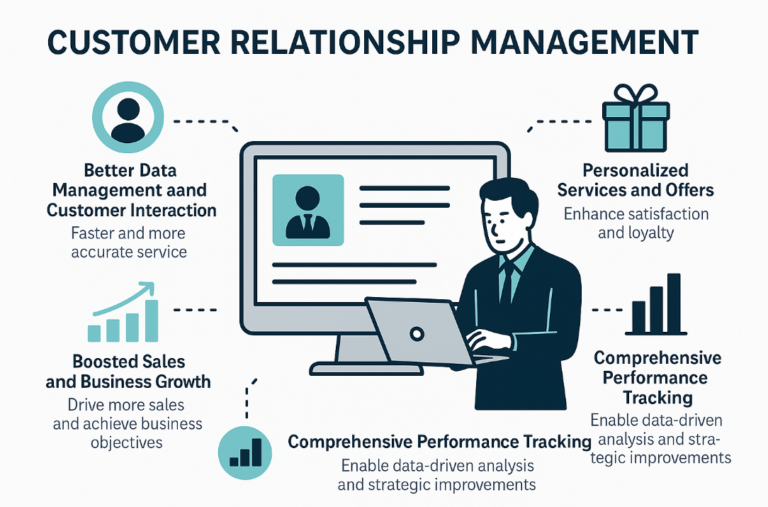
A CRM system consolidates all customer information in one place, making it easier to track interactions and personalize communication.
2. Improved Sales Efficiency
Sales teams can manage leads, track deals, and automate repetitive tasks, allowing them to focus on closing more deals.
3. Enhanced Customer Experience
With better insights, your team can deliver faster, more personalized support.
4. Data-Driven Decision Making
CRM analytics provide valuable insights into customer behavior and business performance.
Step-by-Step CRM Implementation Guide
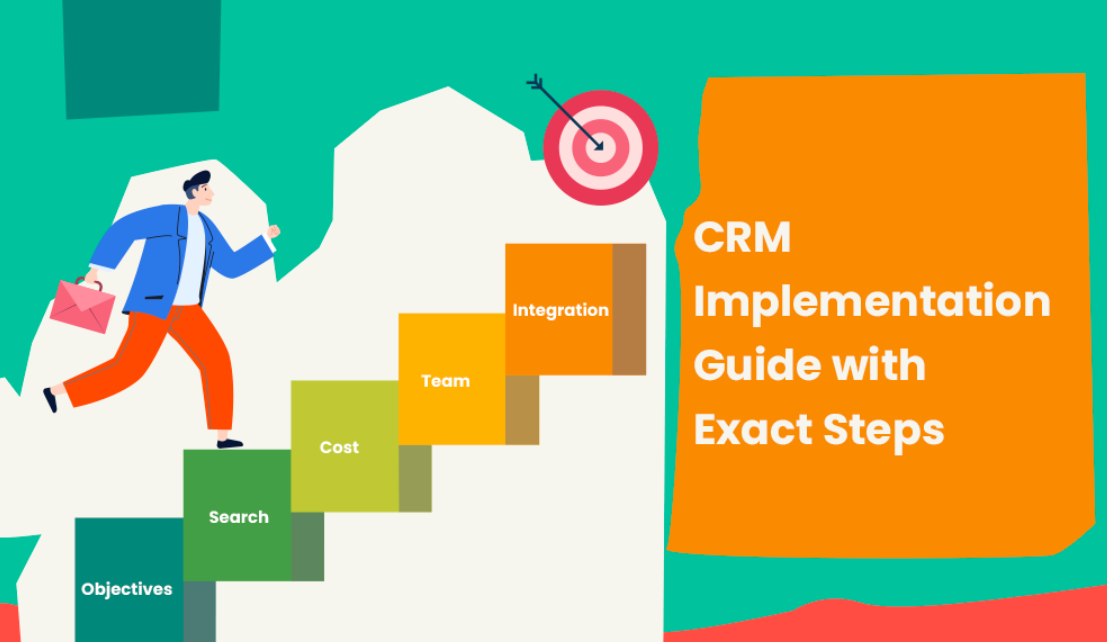
Step 1: Define Clear Business Goals
The first and most crucial step is to identify what you want to achieve with your CRM.
Ask yourself:
- Do you want to increase sales conversions?
- Improve customer retention?
- Streamline internal processes?
- Enhance marketing automation?
Pro Tip: Set SMART goals (Specific, Measurable, Achievable, Relevant, Time-bound).
Example:
- Increase lead conversion rate by 20% within 6 months.
Step 2: Get Stakeholder Buy-In
CRM implementation affects multiple departments, including sales, marketing, and customer support. Without stakeholder support, your project is likely to fail.
Key stakeholders include:
- Executives
- Department heads
- IT team
- End users
How to secure buy-in:
- Demonstrate ROI potential
- Highlight pain points the CRM will solve
- Involve stakeholders early in decision-making
Step 3: Choose the Right CRM Software
Selecting the right CRM is critical to your success.
Factors to consider:
- Ease of use
- Customization capabilities
- Integration with existing tools
- Scalability
- Pricing
Types of CRM systems:
- Operational CRM – Focuses on automation (sales, marketing, service)
- Analytical CRM – Focuses on data analysis
- Collaborative CRM – Improves communication across teams
Tip: Always request a demo or trial before committing.
Step 4: Map Your Business Processes
Before implementing a CRM, you need to understand your current workflows.
Key processes to map:
- Lead generation
- Sales pipeline
- Customer onboarding
- Support workflows
Why this matters:
A CRM should support your processes—not force you into inefficient workflows.
Step 5: Clean and Prepare Your Data
Data quality is one of the biggest factors in CRM success.
Common data issues:
- Duplicate records
- Incomplete data
- Outdated information
Steps to prepare data:
- Remove duplicates
- Standardize formats
- Validate accuracy
- Segment customer data
Remember: “Garbage in, garbage out.”
Step 6: Customize the CRM System
Once your CRM is selected, it needs to be tailored to your business.
Customization includes:
- Custom fields
- Sales pipelines
- Dashboards and reports
- Automation rules
Best Practice:
Avoid over-customization at the beginning. Start simple and expand later.
Step 7: Integrate with Existing Tools
Your CRM should work seamlessly with your current systems.
Common integrations:
- Email platforms
- Marketing automation tools
- Accounting software
- Customer support systems
Benefits:
- Eliminates data silos
- Improves efficiency
- Ensures real-time data synchronization
Step 8: Train Your Team
Even the best CRM system will fail if your team doesn’t use it properly.
Training strategies:
- Hands-on workshops
- Role-based training sessions
- Video tutorials
- Ongoing support
Focus areas:
- How to use the system
- Benefits for each role
- Best practices
Step 9: Launch the CRM (Go-Live)
Before going live, conduct thorough testing.
Pre-launch checklist:
- Test workflows
- Validate data accuracy
- Ensure integrations work
- Gather feedback from test users
Soft Launch vs Full Launch:
- Soft launch: Roll out to a small group first
- Full launch: Deploy across the organization
Step 10: Monitor Performance and Optimize
CRM implementation doesn’t end after launch.
Key metrics to track:
- User adoption rate
- Sales conversion rate
- Customer satisfaction
- Data accuracy
Continuous improvement:
- Collect user feedback
- Update workflows
- Add new features
- Provide ongoing training
Common CRM Implementation Challenges
1. Lack of Clear Strategy
Without defined goals, your CRM will lack direction.
2. Poor User Adoption
Employees may resist change if they don’t see the value.
3. Data Migration Issues
Incorrect or incomplete data can compromise your system.
4. Over-Complex Customization
Too many features can overwhelm users.
5. Insufficient Training
Untrained users lead to underutilized systems.
Best Practices for Successful CRM Implementation
1. Start Small and Scale
Begin with core features and expand gradually.
2. Focus on User Experience
Choose a system that is intuitive and easy to use.
3. Align CRM with Business Goals
Every feature should support your objectives.
4. Encourage Adoption
Use incentives and leadership support to drive usage.
5. Regularly Review and Improve
CRM systems should evolve with your business.
CRM Implementation Timeline
A typical CRM implementation timeline looks like this:
| Phase | Duration |
|---|---|
| Planning | 2–4 weeks |
| Selection | 2–3 weeks |
| Customization | 4–8 weeks |
| Data Migration | 2–4 weeks |
| Training | 1–2 weeks |
| Launch | 1 week |
| Optimization | Ongoing |
Cost of CRM Implementation
CRM costs vary depending on:
- Software subscription fees
- Customization costs
- Integration expenses
- Training and support
Typical cost breakdown:
- Small business: $1,000 – $10,000
- Mid-size business: $10,000 – $50,000
- Enterprise: $50,000+
How to Measure CRM Success
To evaluate your CRM implementation, track these KPIs:
Sales Metrics
- Lead conversion rate
- Deal closing rate
- Sales cycle length
Customer Metrics
- Customer retention rate
- Customer lifetime value (CLV)
- Net Promoter Score (NPS)
Operational Metrics
- Task completion rate
- Response time
- Data accuracy
Future Trends in CRM Implementation
1. AI-Powered CRM
Artificial intelligence is transforming CRM with predictive analytics and automation.
2. Mobile CRM
More businesses are adopting mobile-friendly CRM solutions.
3. Personalization at Scale
CRM systems are enabling hyper-personalized customer experiences.
4. Integration with Emerging Technologies
CRM platforms are integrating with IoT, chatbots, and advanced analytics tools.
Conclusion
CRM implementation is a strategic investment that can significantly impact your business growth and customer relationships. However, success depends on careful planning, clear goals, and strong execution.
By following this step-by-step CRM implementation guide, you can:
- Avoid common pitfalls
- Ensure high user adoption
- Maximize ROI
- Build stronger customer relationships
Remember, CRM is not just a tool—it’s a long-term strategy for managing and nurturing your most valuable asset: your customers.
Start small, stay focused, and continuously optimize your CRM system to achieve lasting success.
FAQ: CRM Implementation
What is the biggest challenge in CRM implementation?
The biggest challenge is user adoption. Even the best system fails if employees don’t use it effectively.
How long does CRM implementation take?
It typically takes between 2 to 6 months, depending on the complexity.
Can small businesses implement CRM?
Yes, many CRM solutions are designed specifically for small businesses.
Is CRM implementation expensive?
Costs vary widely, but there are affordable options for businesses of all sizes.